

Your Identity Puzzle, consists of hundreds of little pieces that the data economy religiously hunts for. The process looks like this:
- Data aggregators, such as the apps you use on a daily basis, diligently collect knowledge about you;
- Data brokers buy these fragments and combine the information from many apps to create your complete Identity Puzzle; and
- Data buyers spend fortunes procuring these complete pictures.
The process happens thousands of times every day without your consent or compensation to you. To make forming your identity puzzle easier, companies religiously hunt for edge and corner pieces that make assembling your puzzle easy. Your email address is one of the most valuable edge pieces in that puzzle. It is semi-permanent, widely distributed, and uniquely yours. Find it once, and you have a reliable thread to pull everything else together. The industry knows this all too well. Companies use your email address as a silent barcode, scanning it every time you interact with a service, linking your behavior across apps, platforms, and devices. Fortunately, this method of taking and monetizing your data can be defeated more easily than you think. In less than five minutes, you can stop companies from collecting it for free and monopolize your data for yourself.
The spam account doesn’t fix it
A lot of people figured out a workaround: create a junk email account and use it for signups. [email protected] keeps the clutter out of your real inbox, and it feels like a reasonable solution. It isn’t.
The problem is persistence. When you use the same few junk addresses across hundreds of signups, you have not protected your identity, you’ve just given it a nickname. That address still gets linked to your purchases, your location, your browsing behavior, and eventually your real name, the same way your real address would. The spam account saved clutter in your main inbox, but your valuable data escaped for free.
The only way to actually prevent outsiders from stitching your identity together is to use a different email address for every single signup, so that no single address can be used to connect the dots. That is not a practical thing to do on your own; the effort to maintain hundreds of email addresses would be a part-time job.
That is where email masking comes in.
What is email masking?
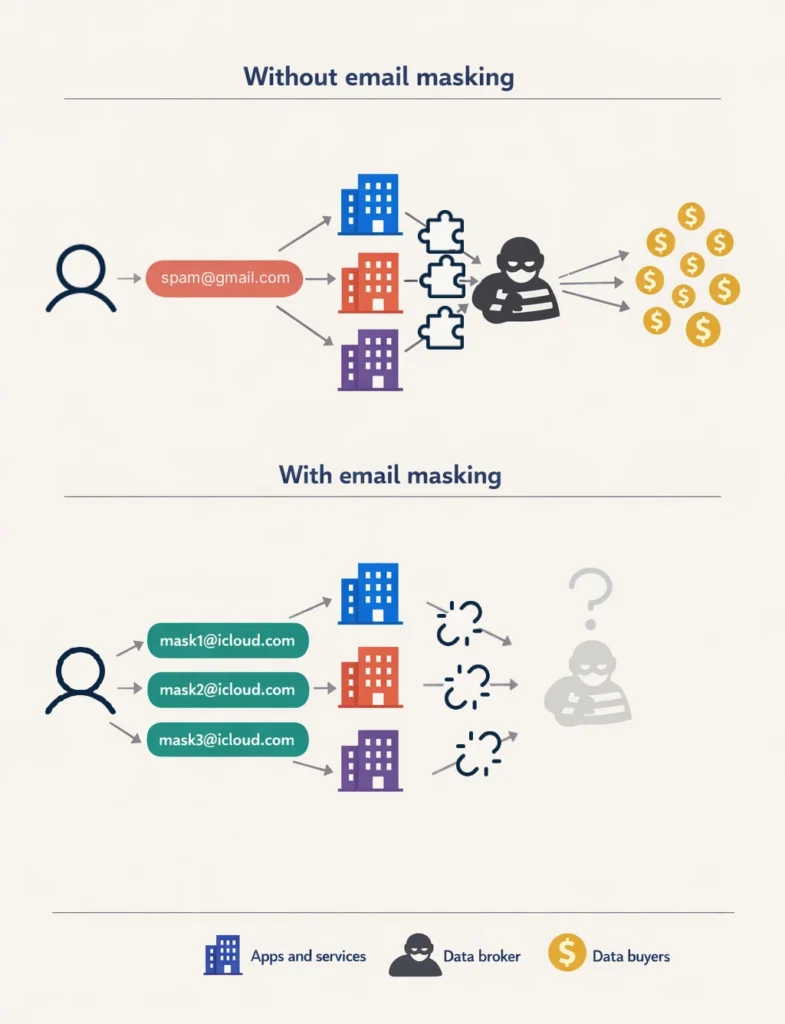
An email masking service generates a unique, throwaway email address each time a company demands a valid email address to use their service. When an app or service sends emails to that address, it gets forwarded to your real inbox. You receive the message normally, but the app or service never learns your real email address. Most importantly, the throwaway email address they have is useless to data brokers. They cannot link your data to it from multiple apps or services because no other company knows who owns the throwaway email address. Each throwaway email address is a unique identifier tied to one company.
Trustworthy companies have built tools to handle all of this automatically. Apple offers two versions of it depending on whether you pay for iCloud storage. Both are on your iPhone right now.
Free: Sign in with Apple
Apple quietly built a version of email masking into Sign in with Apple — the button that lets you log in to apps and websites with your Apple ID. When you use it, Apple gives you the option to share your real email or hide it behind a masked address that forwards to your inbox.
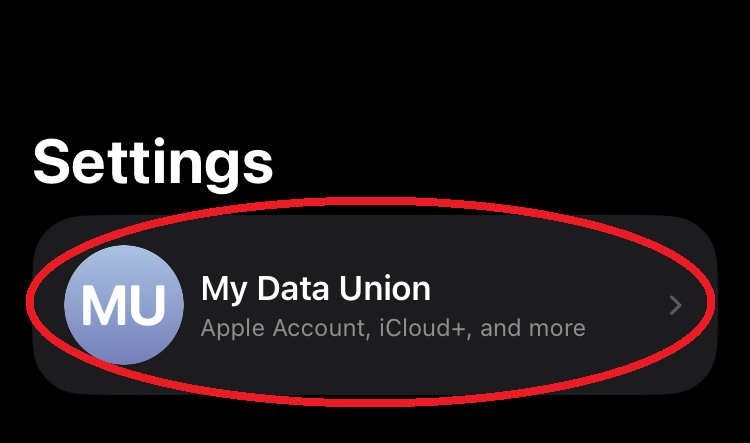
This costs nothing and requires no subscription. To see which apps already have one of these addresses tied to your account, go to Settings → [Your Name] → Sign in with Apple.
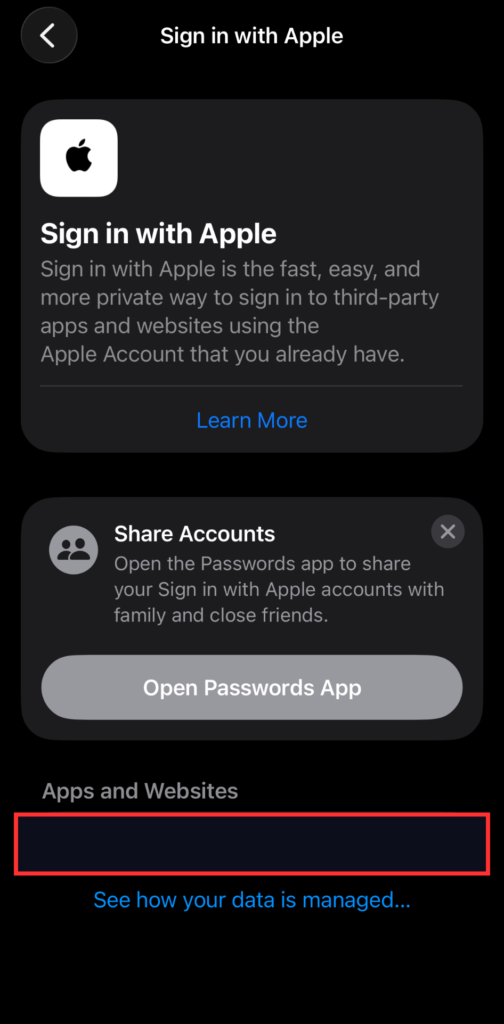
The limitation is that it only works where Apple puts the sign in button. A growing number of apps support it, but the majority of signups you encounter such as newsletters, retail accounts, random one-off services, will not. For those, you need the paid version included with iCloud+.
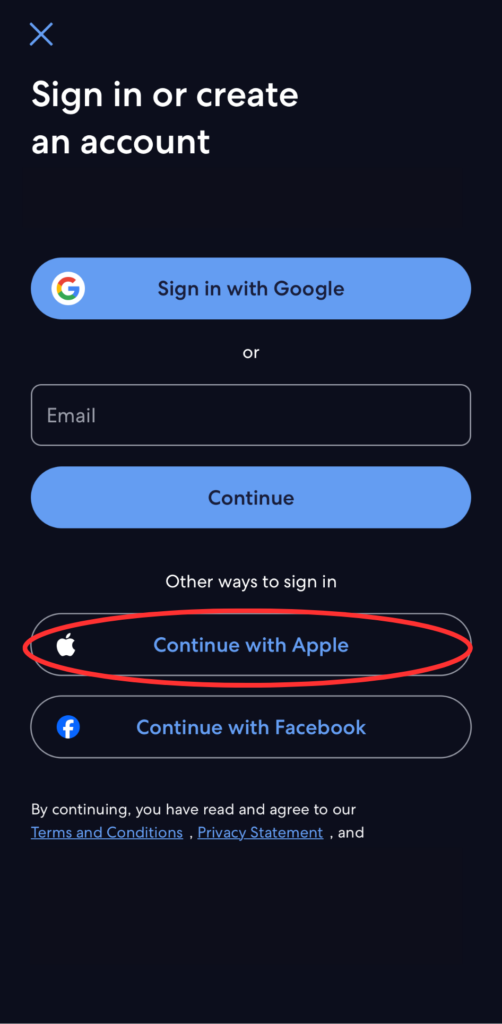
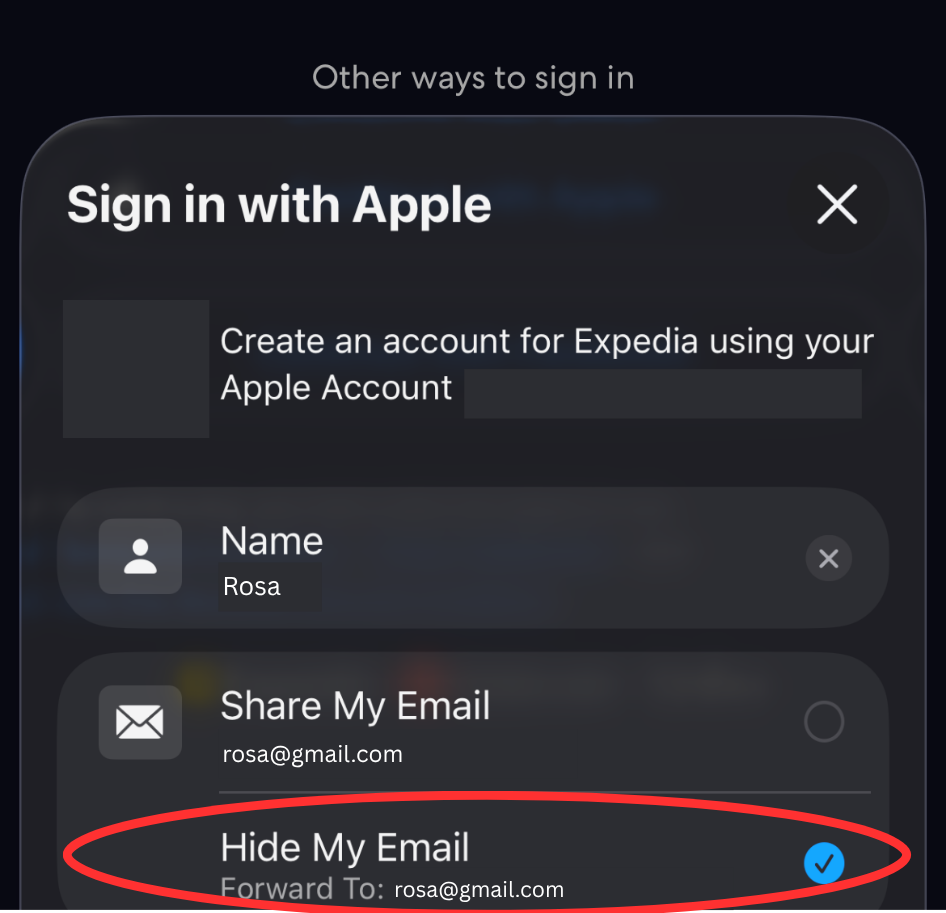
Going forward, whenever you see the Sign in with Apple option, use it and choose to hide your email.
Paid: Hide My Email
If you pay for any tier of iCloud+ storage to back up your phone, you already have access to Hide My Email. Check by going to Settings → [Your Name] → iCloud. If Hide My Email appears in the list, you have it.
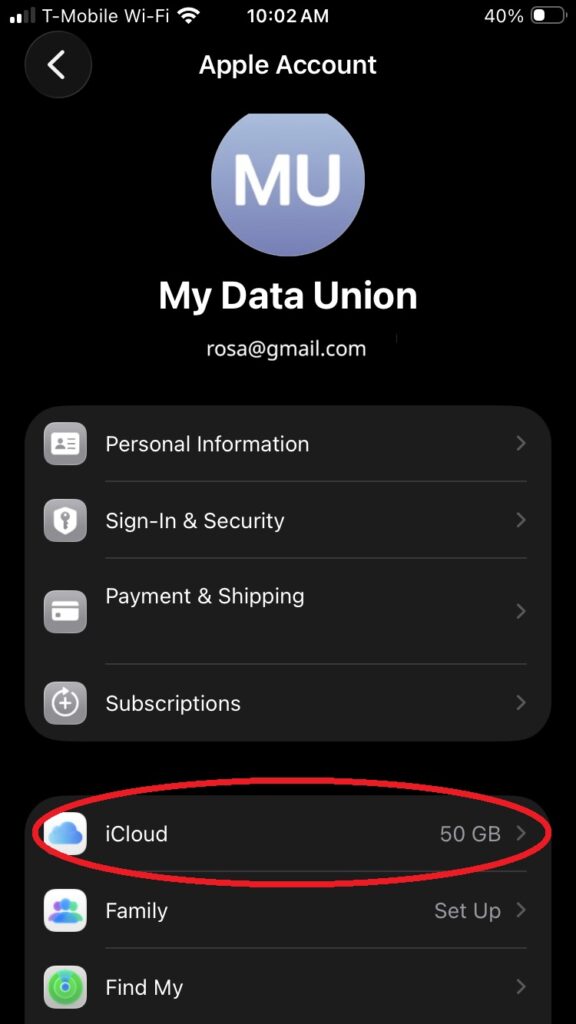
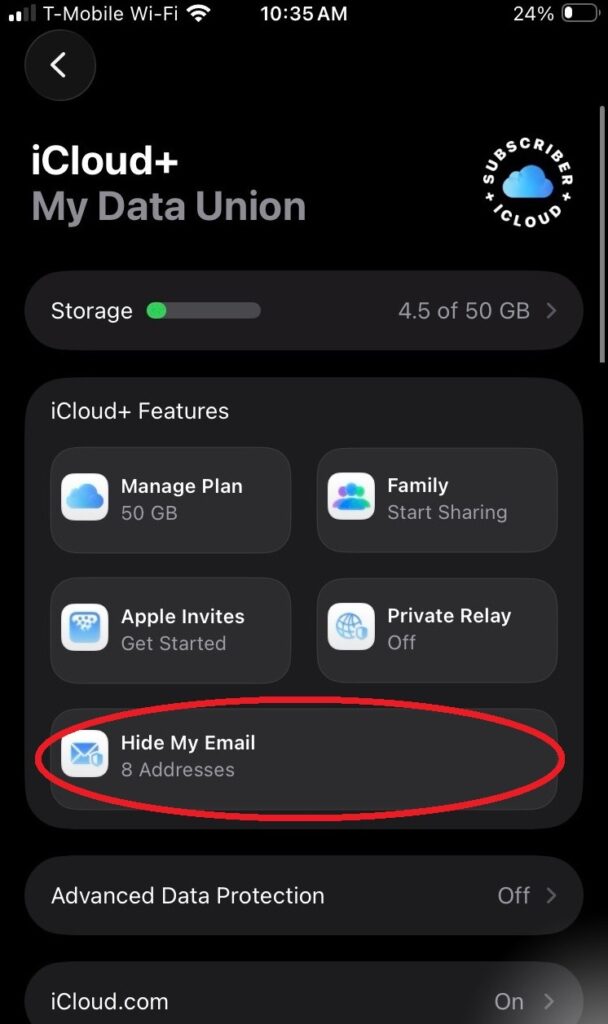
The base iCloud+ plan is $0.99 per month. That is the minimum required if you are not already subscribed.
Unlike the free version, Hide My Email works anywhere. Open any website in Safari, tap an email field, and the option appears above your keyboard. Tap it, and Apple generates a masked address on the spot.
Step 1: Open Settings and tap your name at the top.
Step 2: Tap iCloud, then tap Hide My Email.
Step 3: Tap Create New Address.
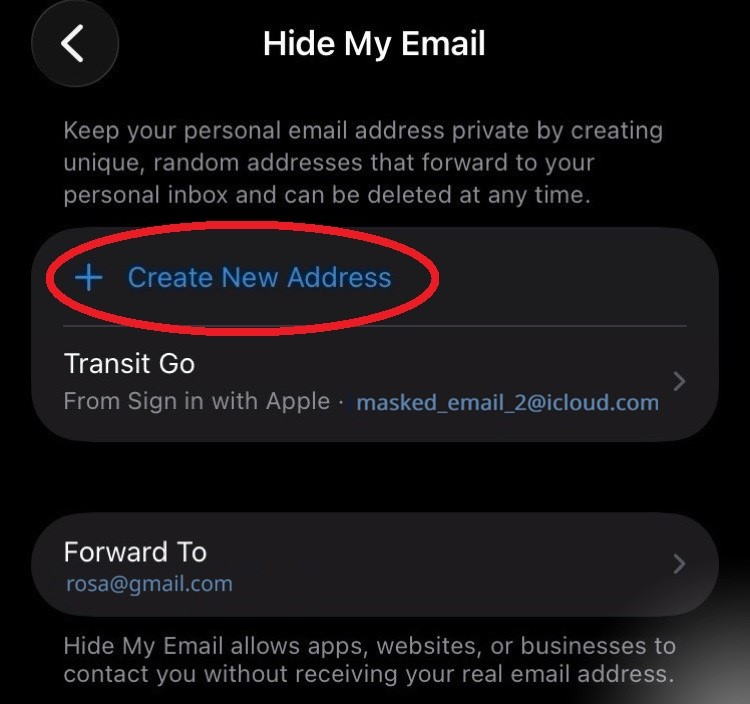
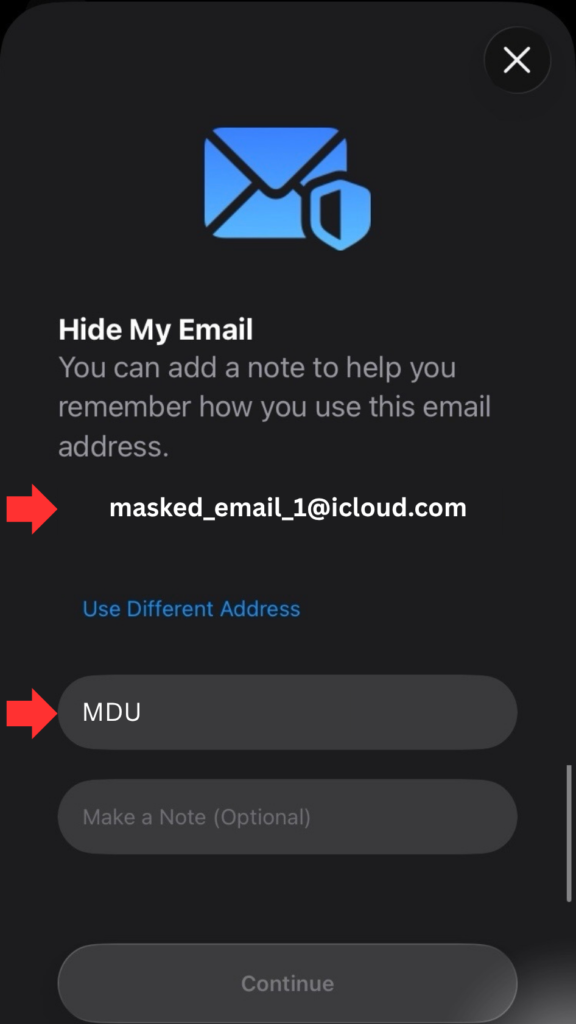
Apple generates a random address instantly. Add a label with the name of the service you are signing up for, tap Next, and copy the address. Done.
Step 4: To shut down an address, tap it and select Deactivate Email Address.
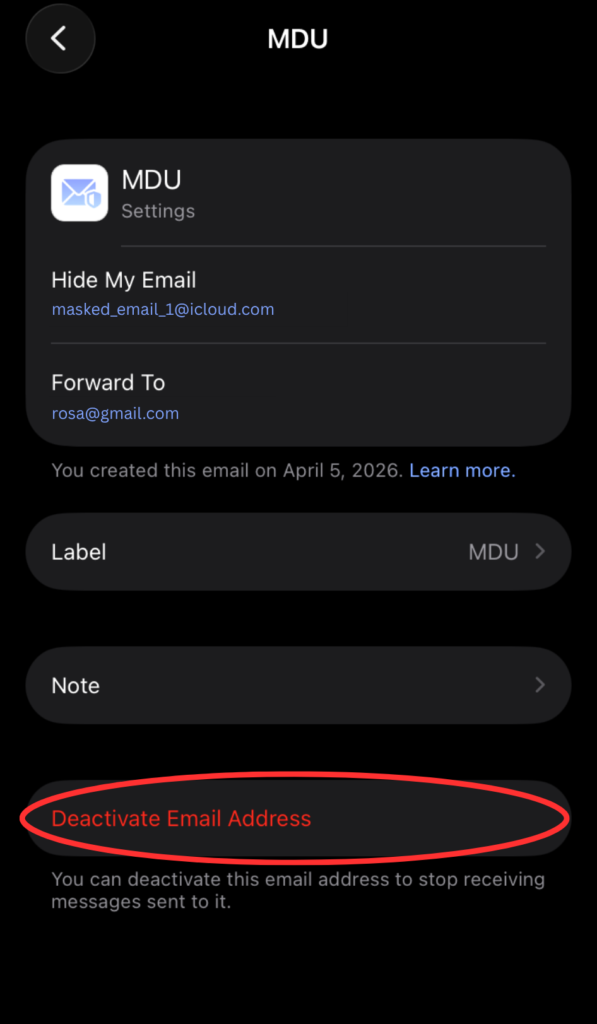
Emails sent to that address stop reaching you immediately. If you want to delete it entirely, find it under Inactive Addresses and delete it from there.
This is one piece of a larger problem
Email addresses were created to allow us to communicate with each other for next to no cost. As the internet evolved, email addresses started to be discreetly used as a digital ID, used to monitor people around the web. Email masking is a legitimate and very effective way to protect one of your most valuable identity pieces.
But the industry is always evolving, and your email address is one of several ways companies try to track and profile you without your knowledge or consent.
Protecting your email address is just the beginning. My Data Union is building the platform for consumers to take control over their entire digital footprint, get paid when companies want access to it, and protect themselves from unwanted monitoring. The data economy generates trillions of dollars off you. It’s time you got a cut. Your data, your terms.
Join the waitlist below.
Pingback: What is “Personalization”? - My Data Union