Every search you’ve made, every device you’ve owned, and every place you’ve visited while logged in has been meticulously stored on Google’s servers. The amount of data Google, and tech companies in general, collect about you is impossible to fully comprehend. Our brains are not wired to see how millions of seemingly random data points may be related, nor can they grasp the depth and breadth. The companies collecting it understand exactly what they have. The strategy has always been to collect as much as possible, tie it to a specific user, and figure out what to do with it later. For most companies ‘later’ is here and the data you’ve created is in the harvesting phase.
The datasets are gold mines sitting at your fingertips, and it is your property. To Google’s credit, their ‘Takeout’ data portal makes it feasible to retrieve your property. Here’s how to do it.
Step 1: Go to takeout.google.com
Navigate to takeout.google.com in your browser.
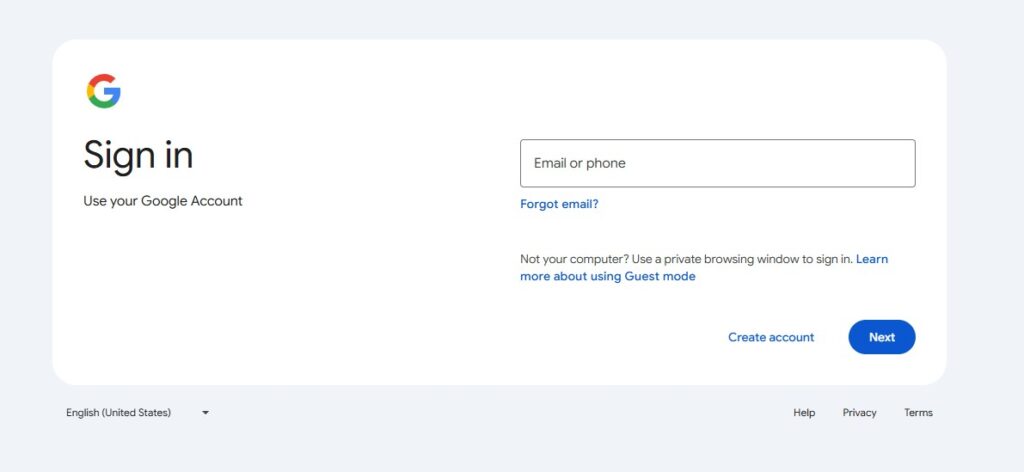
Step 2: Sign in
Log in with the Google account you want to export.
Step 3: Select what to include
By default, most products are pre-selected. You’ll see “X of Y selected” at the top. To download everything, click “Select all.”
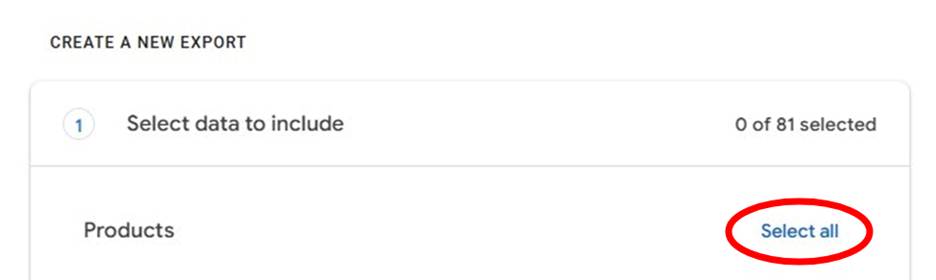
Step 4: Click “Next step”
Scroll to the bottom and click the blue “Next step” button.
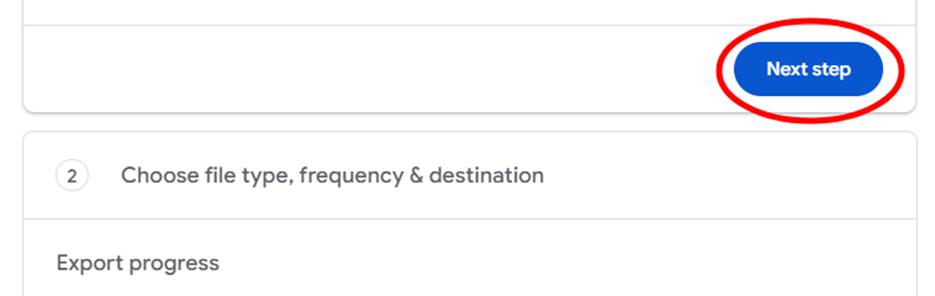
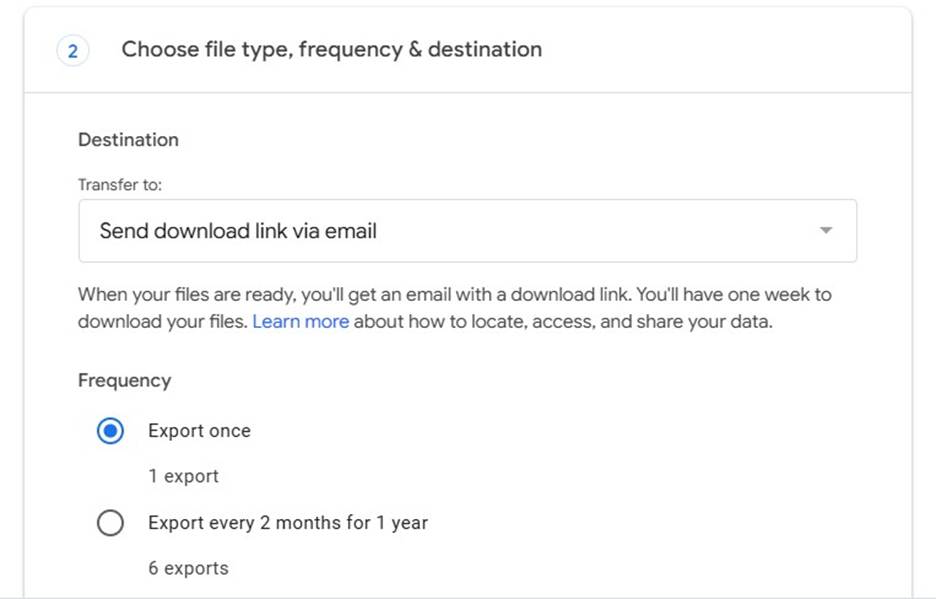
Step 5: Choose delivery method
- Destination: “Send download link via email” is the simplest option
- Frequency: “Export once” for a one-time snapshot
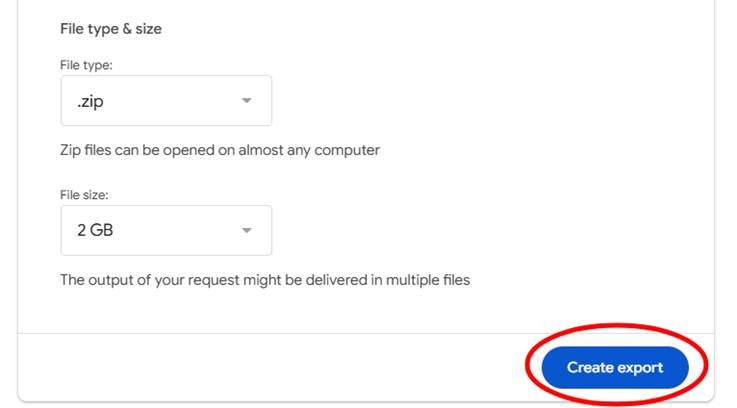
Step 6: Select file type and size, then click “Create export”
- File type: .zip (works on any computer)
- File size: 2GB is a good default — larger exports get split into multiple files
Step 7: Wait
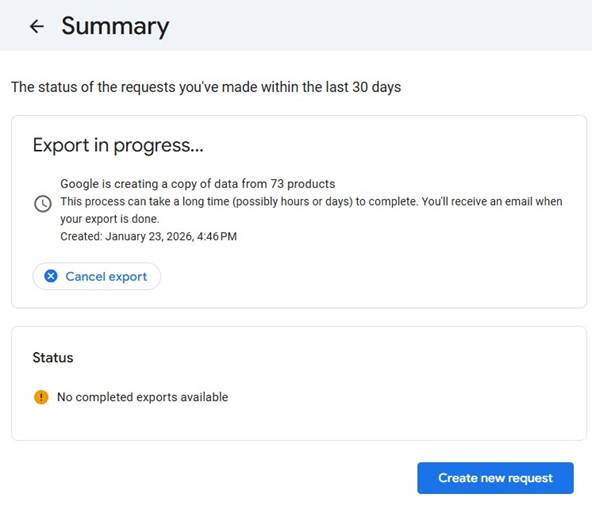
You’ll see confirmation that your export is in progress.
Step 8: Check your email
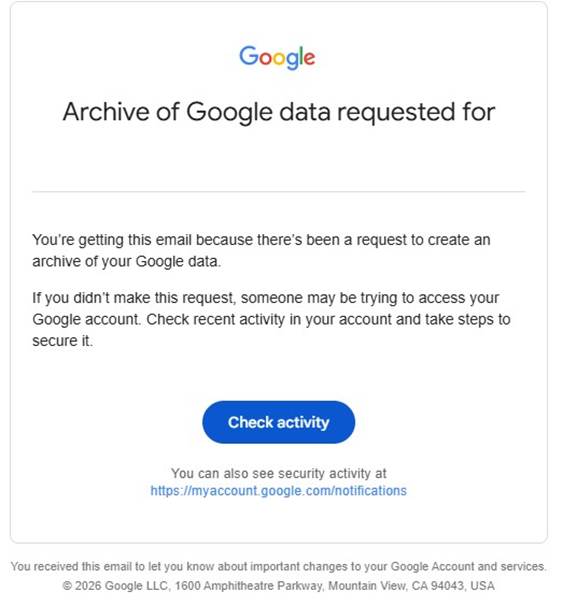
You’ll receive a confirmation that the request was received, and possibly receive a second email to confirm your request.
Step 9: Download your data
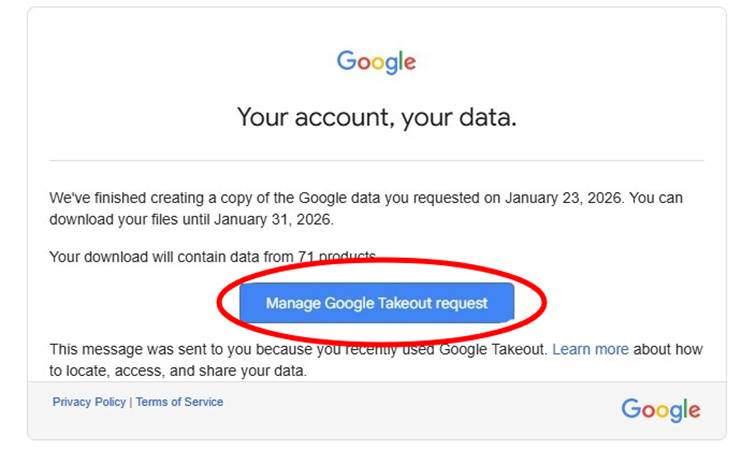
Depending on the size of the data package, it takes anywhere between an hour to a week for Google to produce the exports. When your export is ready, you’ll receive a second email. Click “Manage Google Takeout request,” then download each part. Please note that your files are only available for about one week.
A note on file size
The data packages can be enormous. For those who frequently use the Drive and Photos services for backup, they can exceed 100GB! If you want to reduce the total size to something more manageable, go back to Step 3 and deselect Mail, Drive, and Photos before exporting.
What comes next
What you’ve downloaded is very messy raw data. It includes hundreds of files full of dates, locations, and activity logs, distributed across different file formats. This is just the beginning; making sense of it all is where real insight and value live. Extracting it requires technical know-how and patience.
Fortunately, My Data Union is building a tool to help with this process. Point it at your Takeout files and it will translate the data into a digestible summary of what the data market already knows about you. Some things we would expect, such as the places you’ve visited, videos you’ve watched, and the search terms you used. Others are less obvious, like how long you lingered at different places and sites, how your interests change over time, and when you experienced a major life event.
After downloading my data and using an early version of the tool, I learned “Ronaldinho Joga Bonito” was the first YouTube search I ever made in November 2011 while logged into my account. Over the next 15 years, I watched another 35 videos with Ronaldinho somewhere in the title. The most interesting part of the observation is not my past and current appreciation for the Brazilian soccer maestro, rather I never made another ‘Ronaldinho’ search after my first. All 35 videos were served to me, which I dutifully clicked. That’s not a coincidence, that’s a monetizable profile. Google knew I’d click the videos before I did, and they sold that prediction to advertisers.
That profile is yours, and now you own a piece.
A future article will walk through exactly how to use the tool once it becomes publicly available. Sign up below to get early access.