You were opted into ChatGPT’s new ad business. Here’s how to opt out in 4 steps.
On April 30, 2026, ChatGPT users received, for the second time in thirty days, an email from OpenAI saying their privacy policy was updated. According to the new policy, OpenAI now allows itself to share your data with marketing partners. Unless you have taken the steps to opt out, your ChatGPT data is being shared by default. While it does not seem like much, this is a telltale sign the company believes it can nudge users into relinquishing more control over their valuable data. I firmly believe automatically signing people up for things that discreetly take their property is a violation of their rights. The article below explains what a privacy policy does, why it matters, and how you can regain your agency as a ChatGPT user.
What privacy policies are supposed to do
A privacy policy is a company’s public statement of what it does with your data. It’s not a hardened contract as companies write the rules themselves without your input and reserve the right to change them at any time. As we covered in What is “personalization”?, companies use vague language to give themselves wiggle room to operate however they like.
Since companies aren’t usually forthright about what changed and why, I have built tools to make changes easier to spot. When a company stops promising not to do something, it’s usually because they’re about to start doing it.
What OpenAI changed
- A reversal. Until April 30, 2026, OpenAI’s privacy policy explicitly stated it did not share user data for “cross-context behavioral advertising” and did not process data for “targeted advertising.” The new policy confirms OpenAI now does both.
- A new data flow. The policy added a new category of data recipient: “marketing partners who are not service providers.” In plain English, those are advertising technology companies that receive your data, use it for their own purposes, and have their own terms of service.
- A new default. All of this happens automatically, and you are opted in until you explicitly remove yourself.
This is a textbook default flip. Companies know that most users never change defaults, which means flipping a default does the work of “consent” without anyone having to consciously consent. I covered this pattern in detail in The Death of Consent: Automatic Opt Ins.
In the data economy, terms and policies drift away from the consumer. Once a company allows advertising technology companies that you’ve never heard of to take your data, your agency evaporates. Not long ago, the largest social media platforms did not collect data about their users. Not the case today. OpenAI’s update is the next step along the same path and today’s terms are the best you’ll ever have…until they meet healthy pushback from consumers.
The problem is not with advertising. Targeted advertisements (the advertisements you see based on your interests) can be mutually beneficial. The problem is how platforms manufacture “consent” to take whatever they want, without compensation or transparency, and allow suspicious advertising companies to pilfer people’s data.[1] These distinction matters.
How to opt out
The whole process takes less than two minutes, but is different depending on the platform (iOS, Android, or desktop) and subscription level:
What you can do next
In only two minutes, you closed the door OpenAI just opened. The bigger problem is that you’ll have to do this again for new “features” in ChatGPT, and the same for every other app or service you use. They all quietly roll out changes and force you to play Where’s Waldo to find the new opt out. The default-opt in is the dominant “consent” mechanism of the data economy, and it’s only getting more aggressive.
I created My Data Union because I believe people need more agency in the data economy. It is unreasonable to expect people to monitor hundreds of different contracts that are frequently changing. Companies that want to use your property should be doing business on your terms in a way that benefits you. My Data Union is here to provide people with collective representation to listen to what they want, negotiate on their behalf with other companies, and enforce their property rights in the data economy. This is how people can reshape the data economy so it serves them, not the other way around.
Sign up for the waitlist to join the collective changing the data economy. Get early access to our free tools, plus a weekly newsletter to stay ahead of the next default flip.
How to opt out – Step by Step
Android (free)
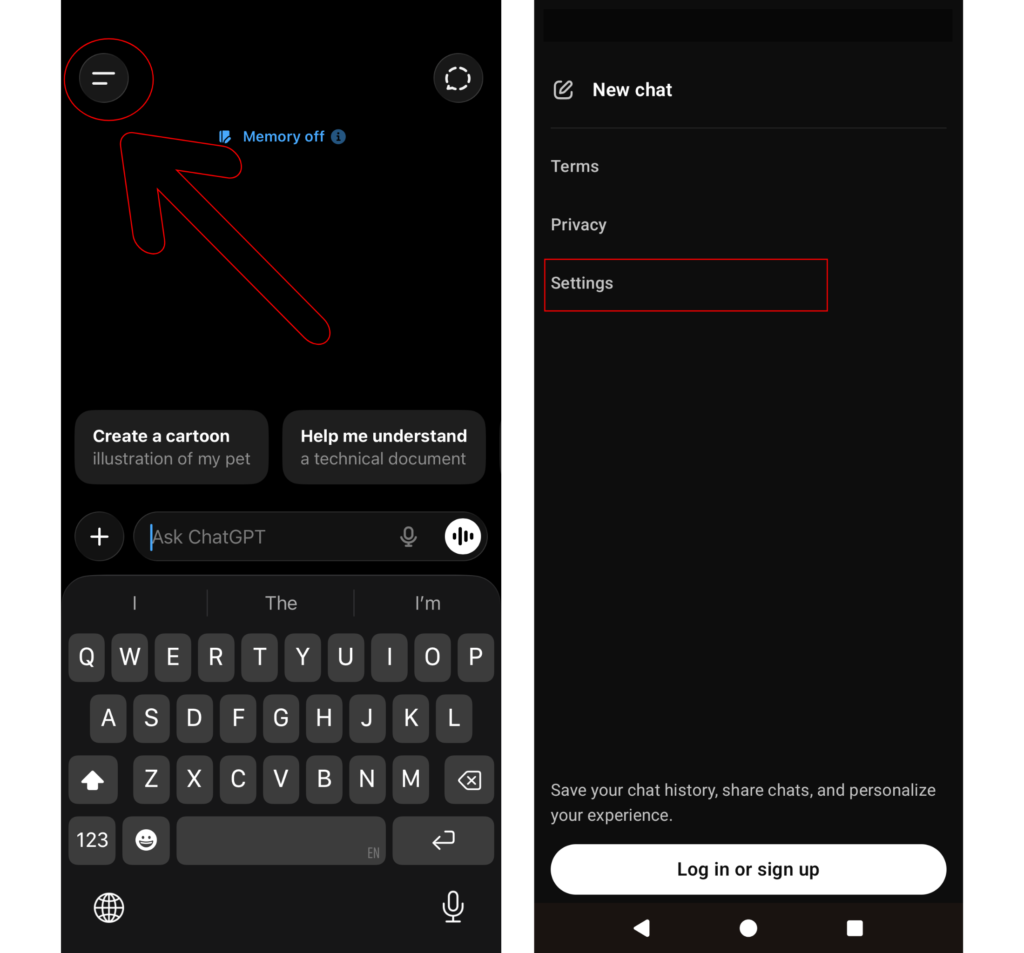
Steps 1 & 2 –
- click the hamburger menu in the top left corner
- then click Settings.
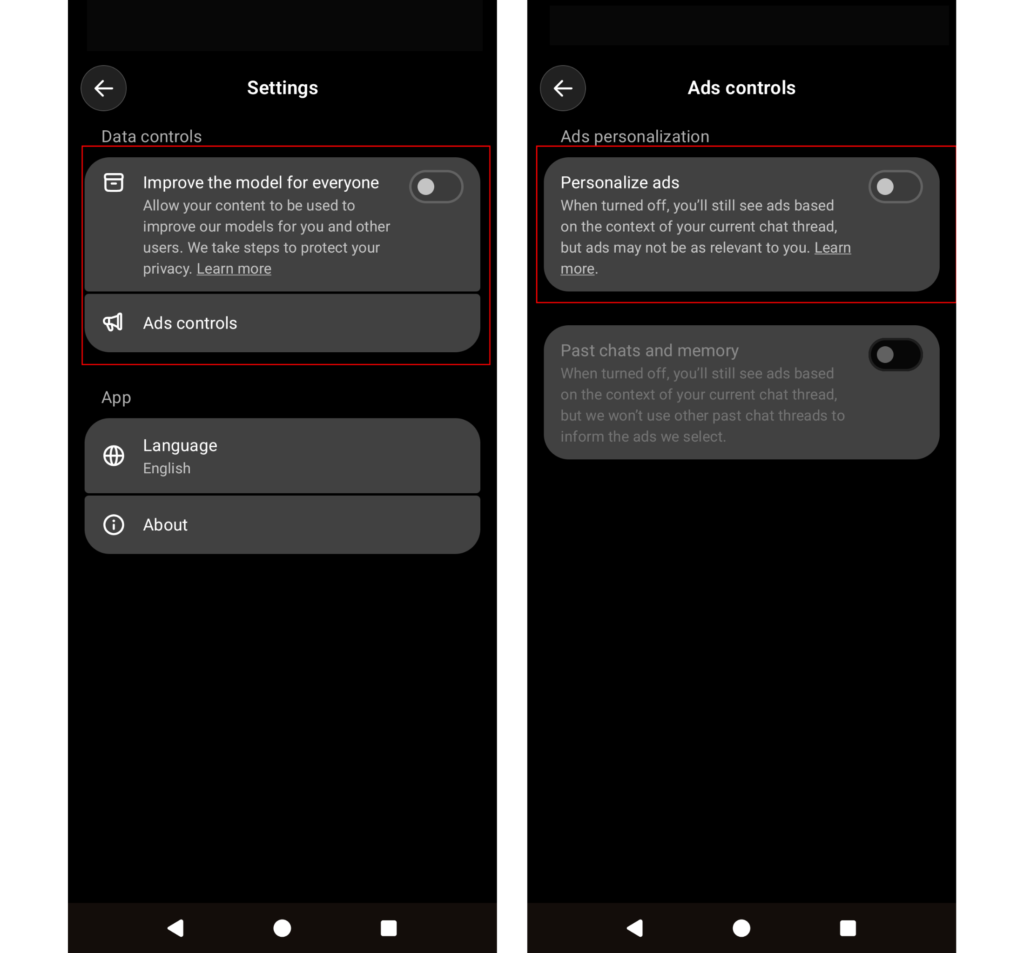
Steps 3 & 4 –
- Make sure Improve the model for everyone is deselected
- Then click Ads controls and deselect Personalize ads.
Android (paid)
Steps 1 & 2 –
- Click the hamburger menu in the top left corner.
- Then your profile icon in the top right corner.
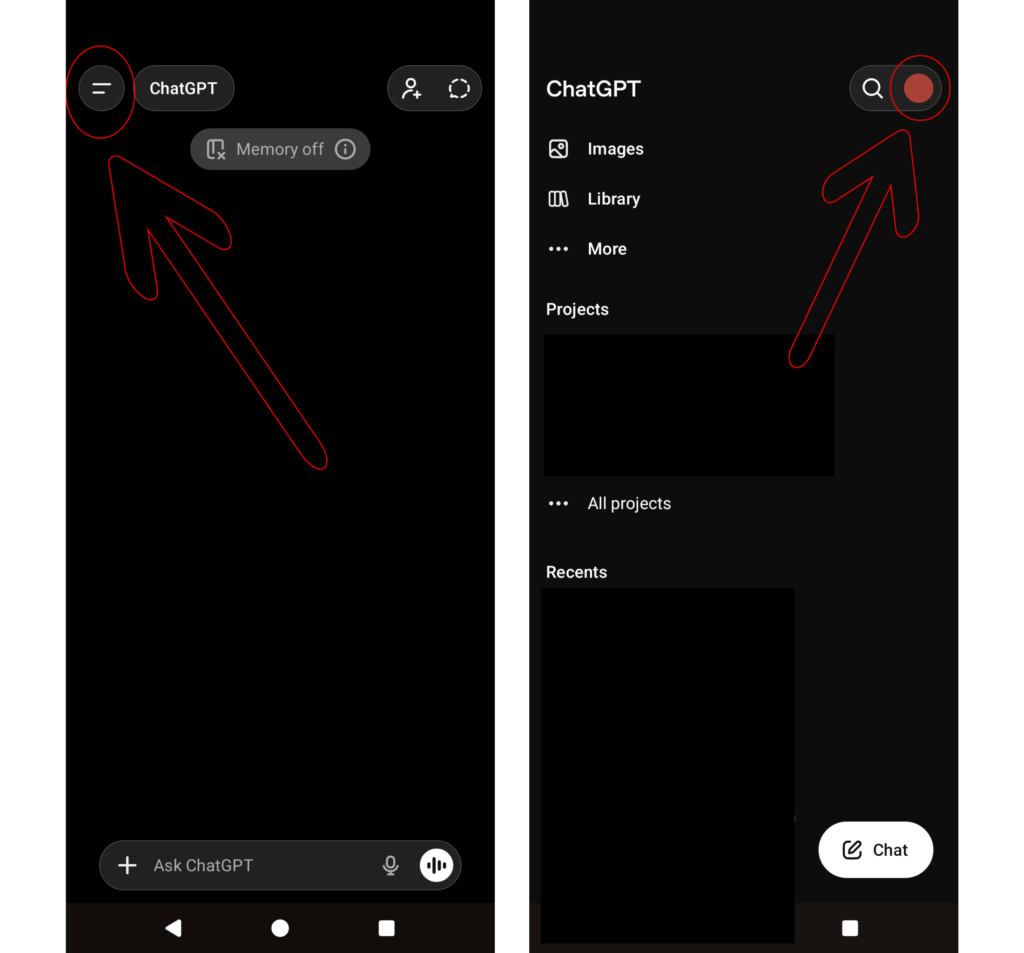
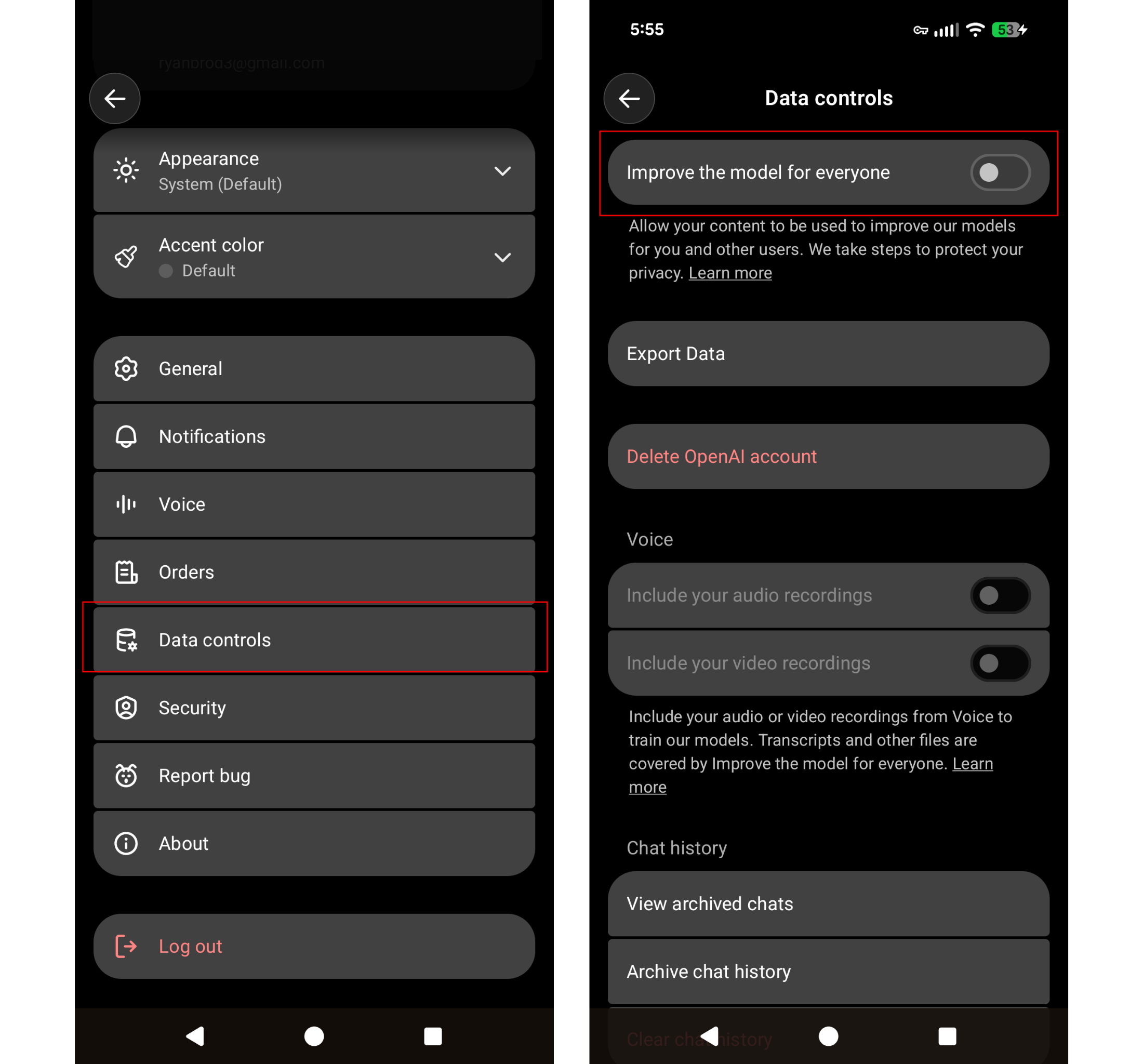
Steps 3 & 4 –
- Scroll down and click Data Controls.
- At the top, make sure Improve the model for everyone is deselected.
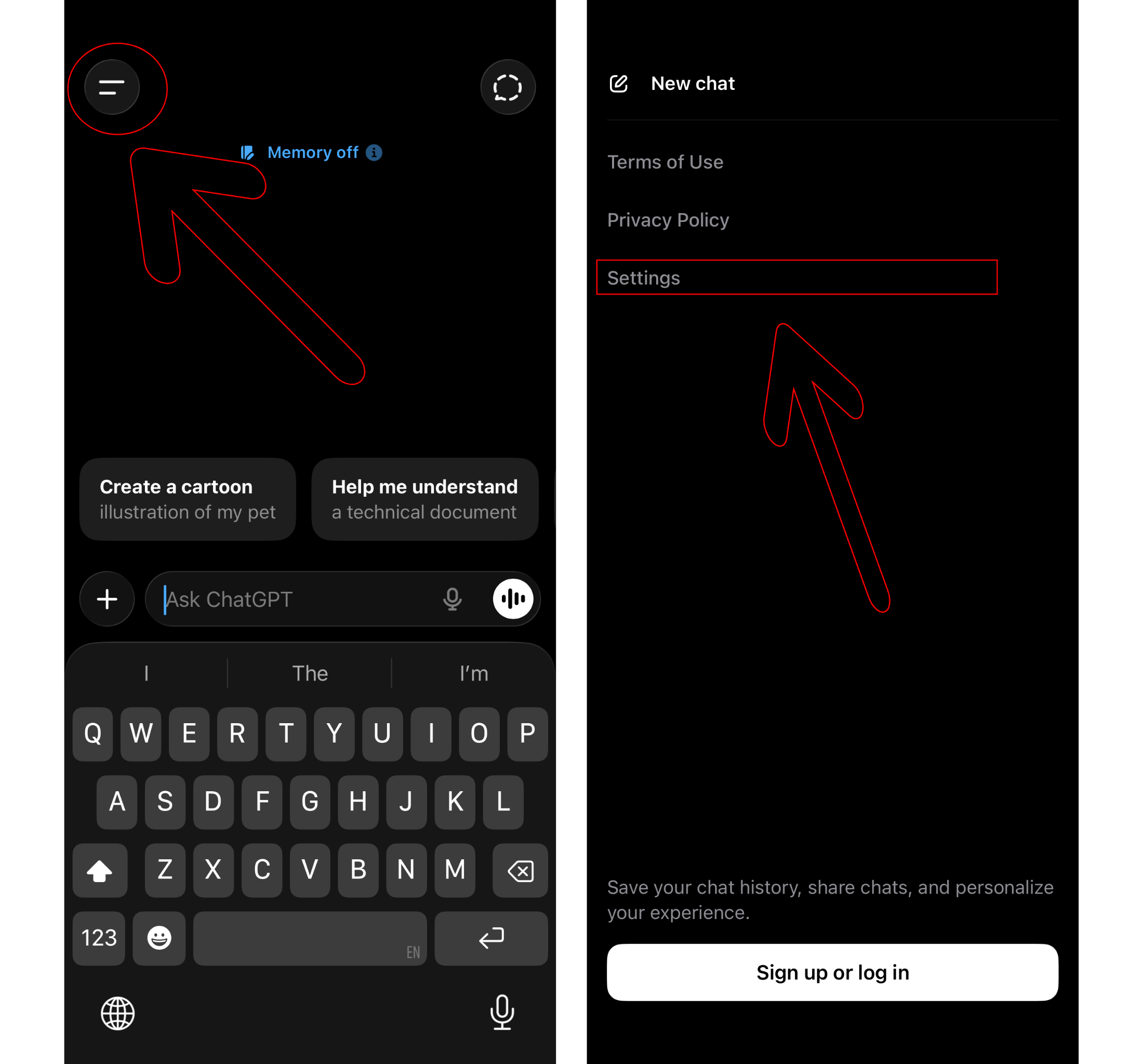
iOS (free)
Step 1 & 2 –
- Click on the hamburger menu on the top left.
- Click your profile button on the top right.
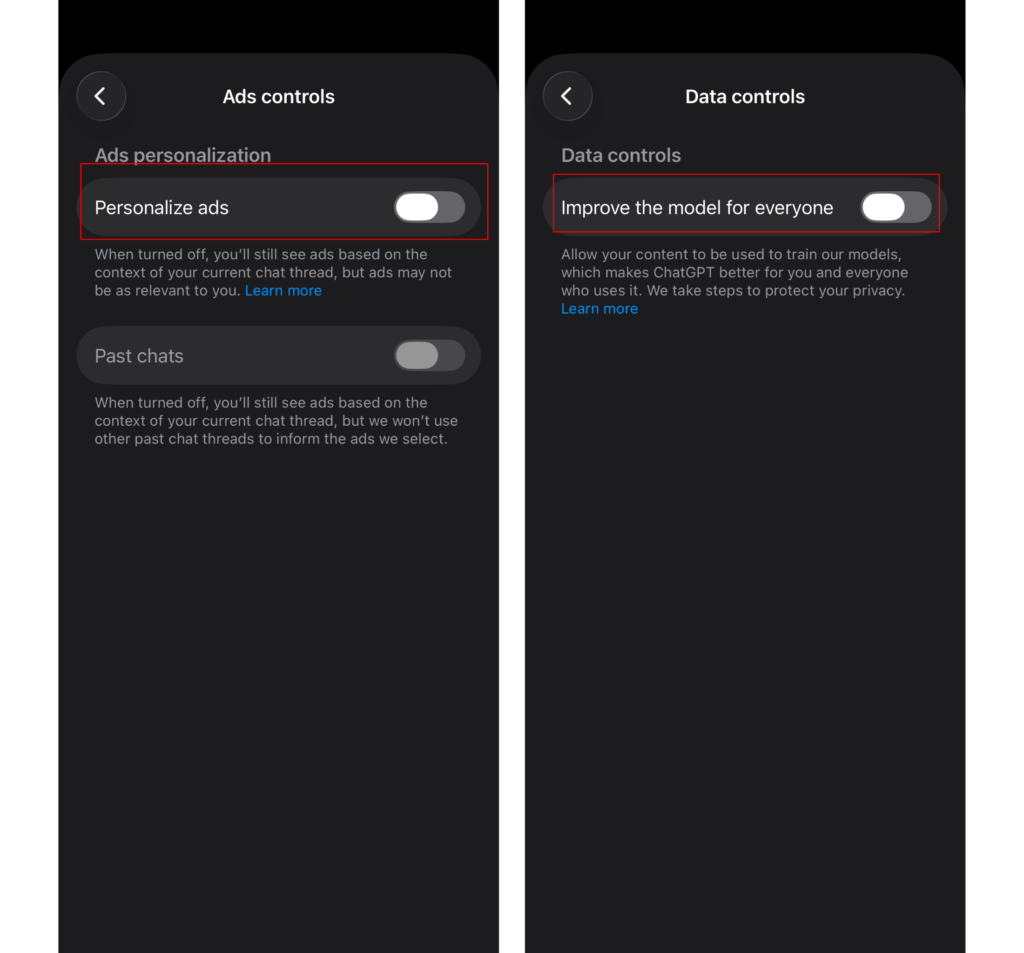
Steps 3 & 4 –
- First click Ads controls and deselect Personalize ads.
- Go back and select Data controls and deselect Improve the model for everyone.
iOS (paid)
Steps 1 & 2 –
- Click on the hamburger menu in the top left
- Then click your profile button in the top right.
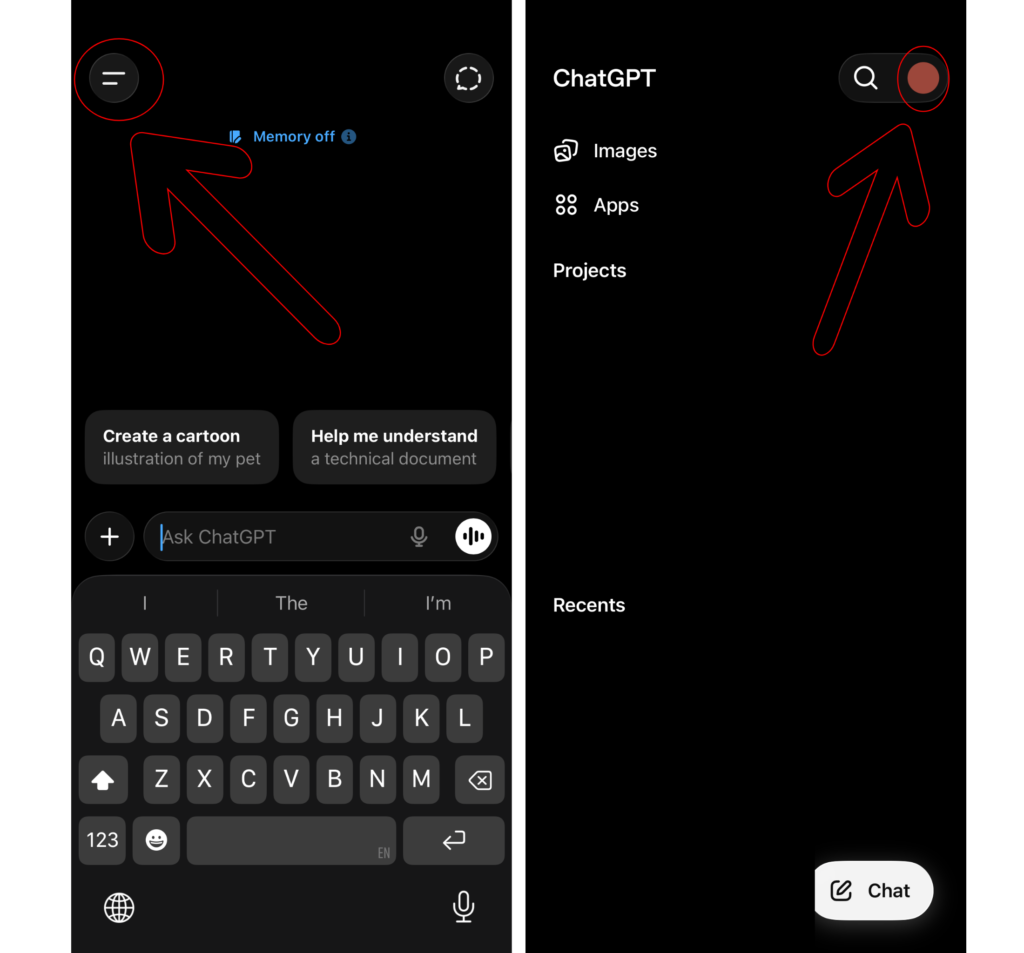
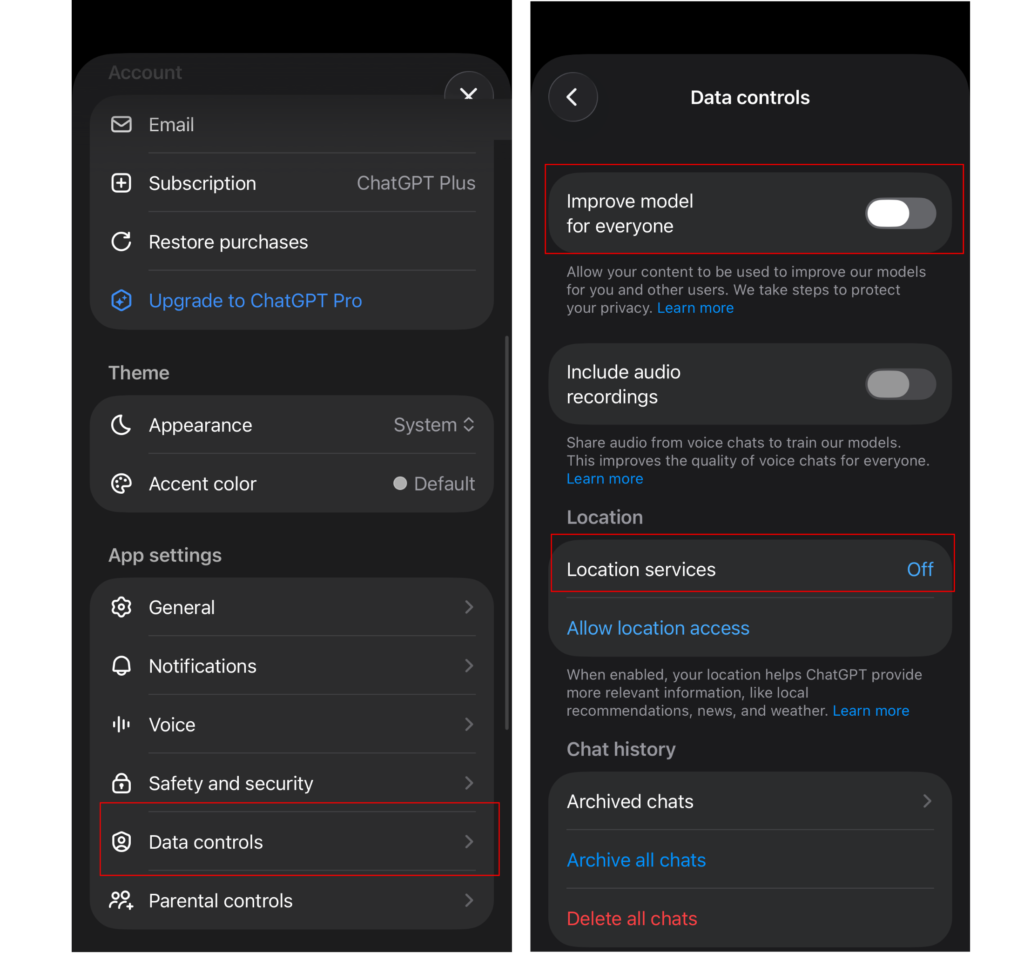
Steps 3 & 4 –
- Scroll down and click Data controls.
- Deselect Improve model for everyone and Location services.
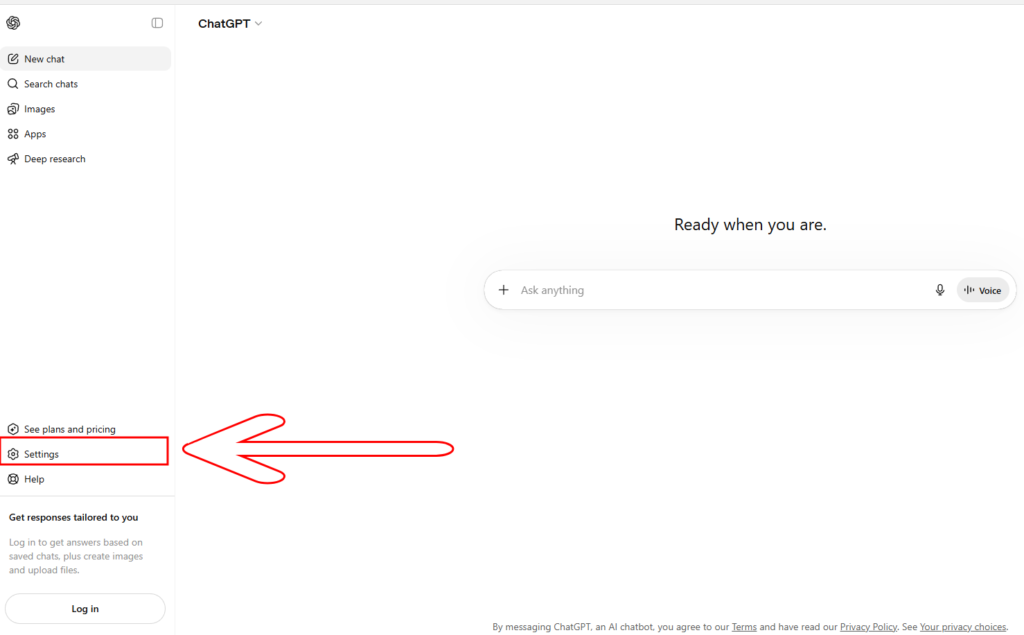
Desktop (free)
Steps 1 & 2 –
- Click Settings in the bottom left.
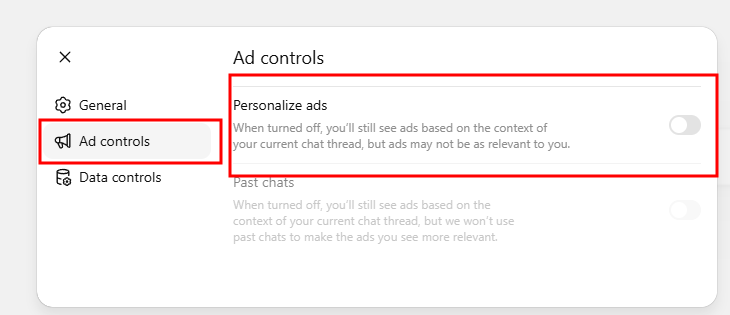
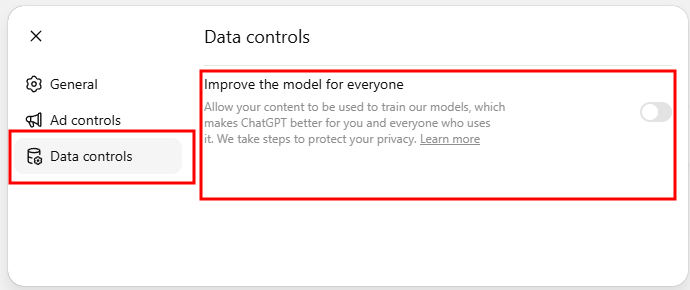
- In the popup window, click Ad Controls in the popup window.
- Turn off Personalize ads.
Step 3 –
- Click Data controls in the popup window.
- Turn off Improve the model for everyone.
Desktop (paid)
Steps 1 & 2 –
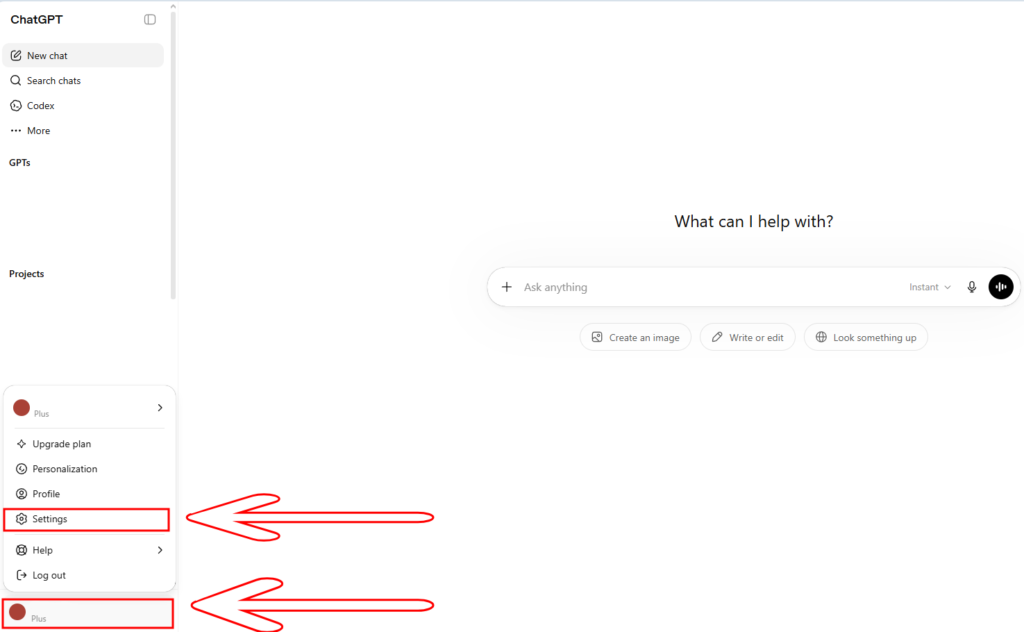
- Click your account name in the bottom left corner of the home screen
- Click Settings on the popup. In the new popup window,
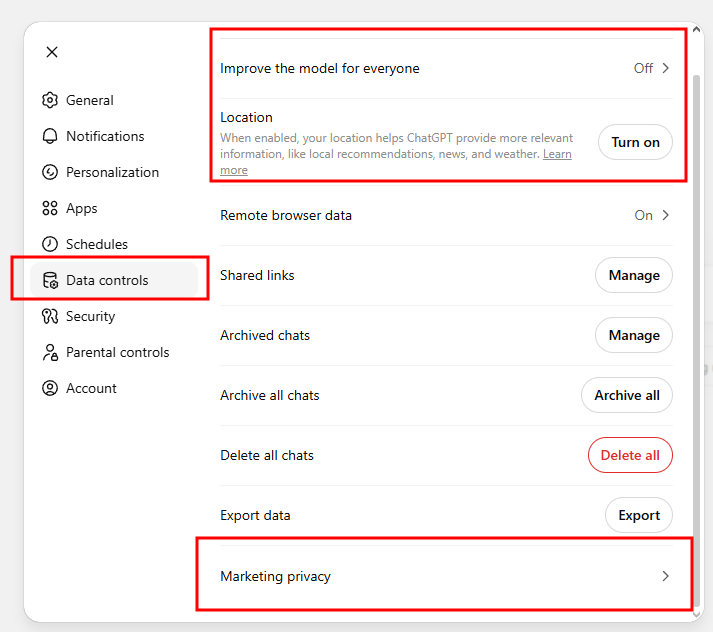
- Click Data Controls on the left.
- Turn off Improve the model for everyone and make sure Location is also off.
- Then go all the way to the bottom and select Marketing privacy.
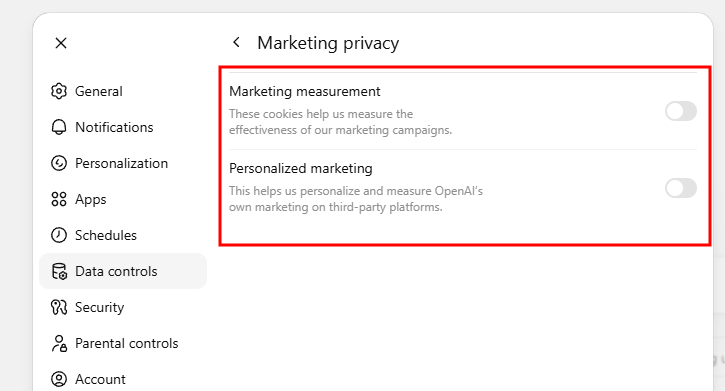
Step 3 – deselect Marketing measurement and Personalized marketing.
[1] https://www.ftc.gov/news-events/news/press-releases/2026/05/ftc-ban-kochava-subsidiary-selling-sensitive-location-data-settle-charges-they-sold-location-data