Every time you use ChatGPT, you generate valuable data. Your questions, the problems you’ve worked through, and the ideas you’ve explored are all logged and stored by OpenAI. What most people don’t realize is that they own this data.
Here’s how to take possession of it.
Step 1 — Open Your Account Menu
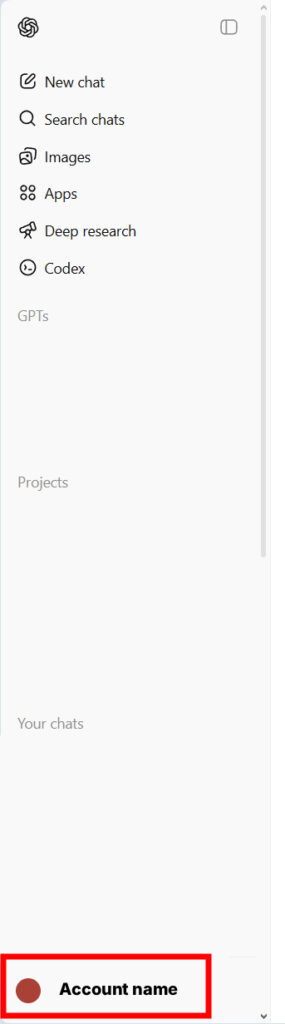
Log in to ChatGPT. In the bottom-left corner, click on your Account name or colored circle to open the account menu.
Step 2 — Go to Settings
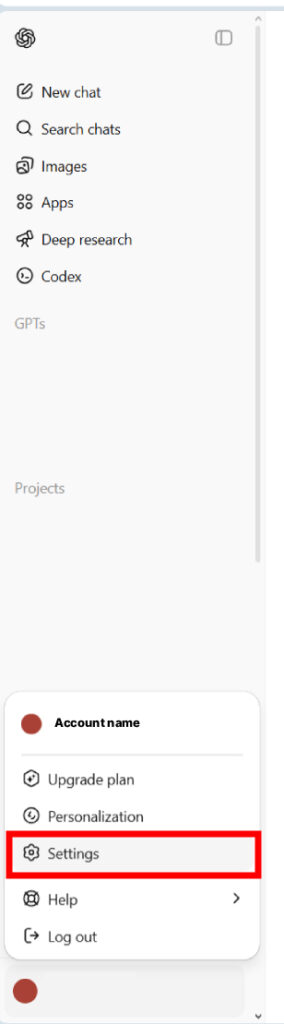
In the menu that appears, click Settings.
Step 3 — Navigate to Data Controls
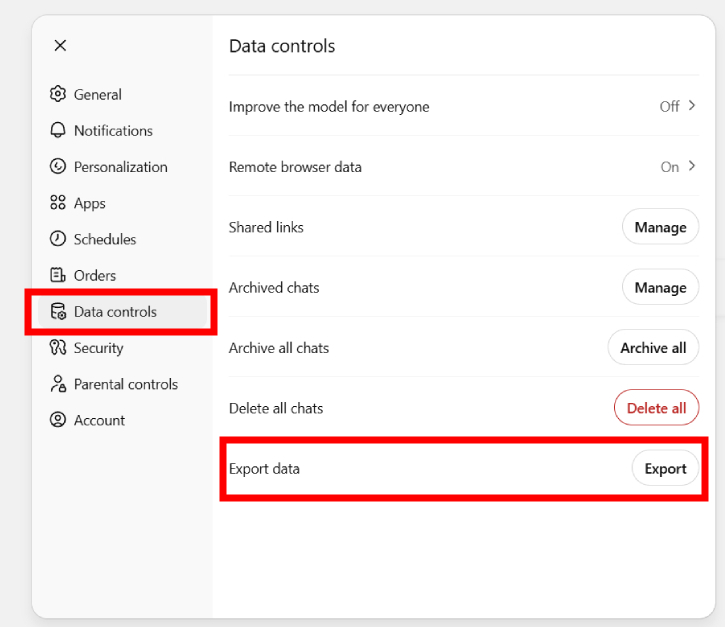
Inside Settings, click on Data controls in the left-hand menu. This is where OpenAI lets you manage your data, which includes exporting it.
Once you’re there, find the Export data row and click the Export button.
Step 4 — Verify It’s You
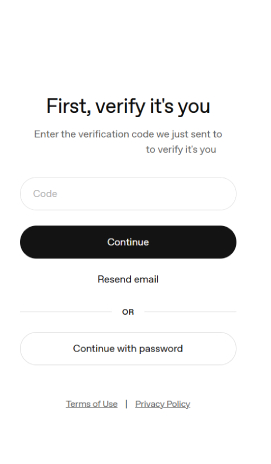
For security, OpenAI will ask you to confirm your identity. A verification code will be sent to your registered email address. Enter the code on the screen, then click Continue.
Step 5 — Confirm the Export
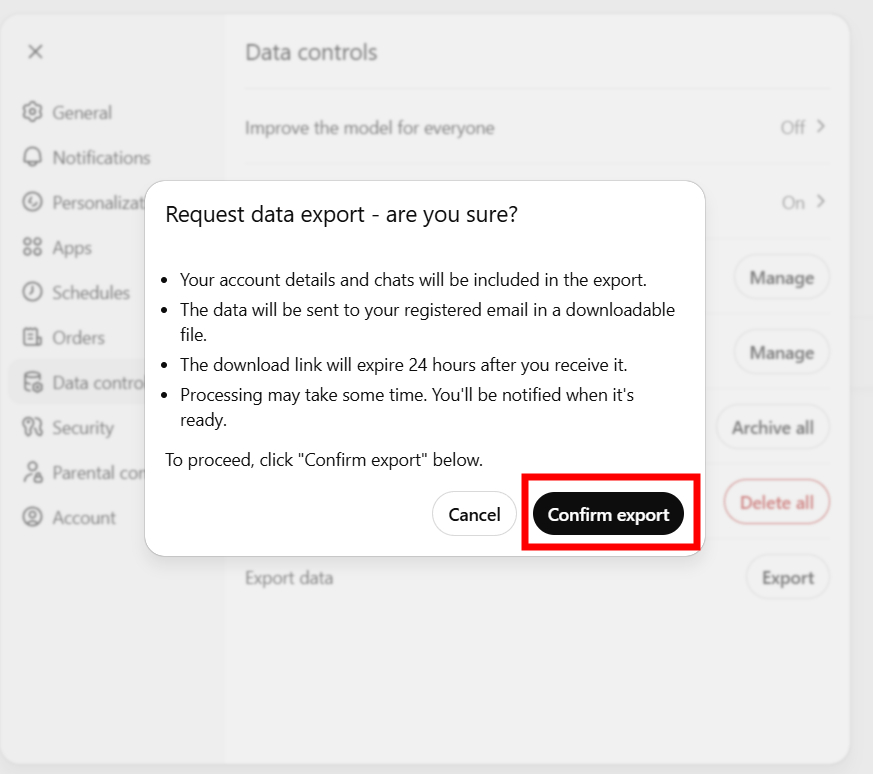
After verifying your identity, you’ll be taken back to the Data controls screen. Click Export one more time to trigger the confirmation dialog.
A popup will appear explaining what’s included in the export. Review it, then click Confirm export.
Step 6 — Watch for the Email
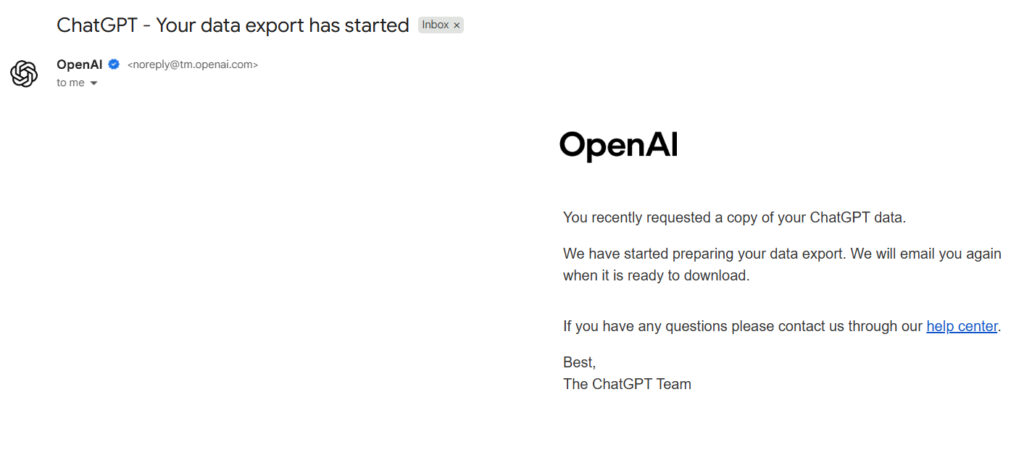
OpenAI will immediately send you a confirmation email letting you know your data export has begun. This is just a heads-up, and your data isn’t ready yet. Sit tight.
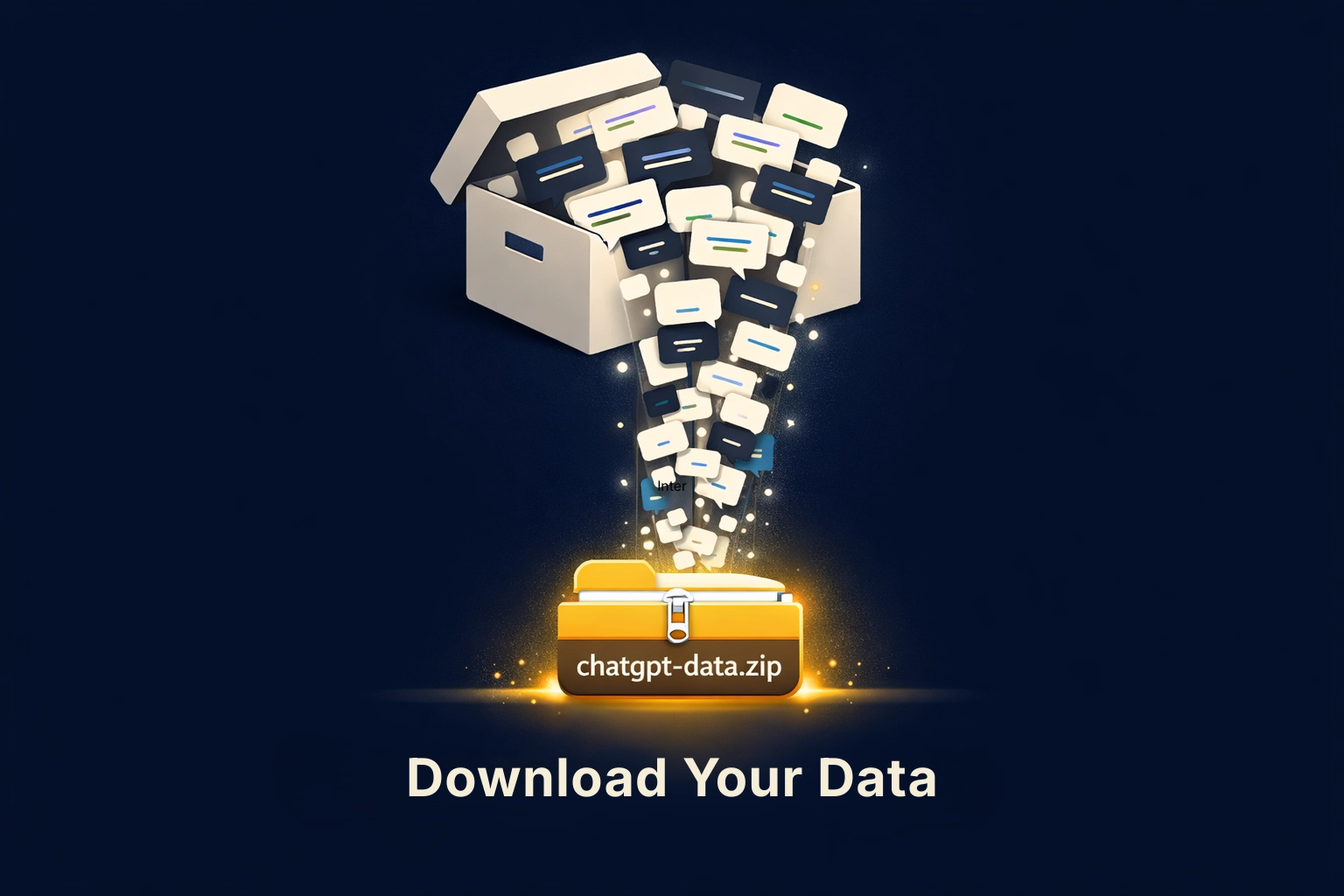
Step 7 — Download Your Data
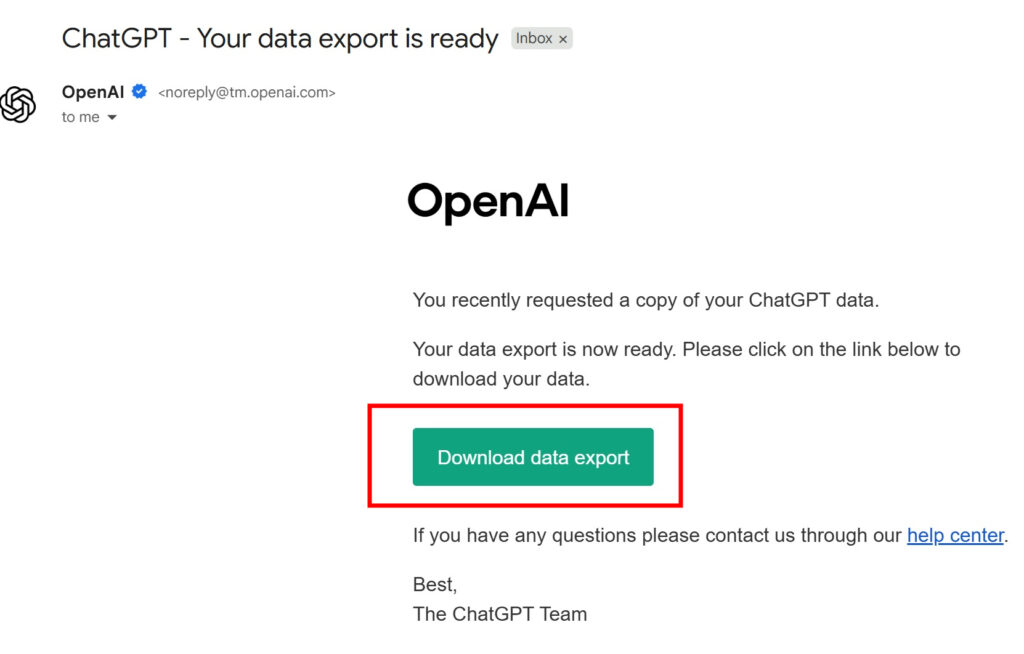
Within about 24-48 hours, you’ll receive a second email with the subject line “ChatGPT — Your data export is ready.” Open it and click the Download data export button inside that email.
Important: The download link expires within 24 hours. Make sure you download your data promptly.
What comes next and why this matters
What you’ve downloaded is your full conversation history: every prompt, response, image you submitted or generated, and metadata about how OpenAI processed it all. This is just the beginning. The real value lies in the insights about the data, which requires some expertise to extract.
Fortunately, My Data Union is building a tool to help with this. Point it at your ChatGPT export and it will translate the raw files into a plain-language summary of what the platform knows about you. Some of it you’d expect, such as the topics you gravitate toward and the problems you keep coming back with. Others are less obvious, like how your thinking shifted over time, the types of words you use most, and the patterns in what you ask for help with versus what you figure out on your own. Taken together, it’s a portrait of how your mind works. That portrait has real market value. Right now, you’re not seeing any of it.
ChatGPT is one data source among many. In all of them, you surrender the value you created while a trillion-dollar industry profits from it. Our role at My Data Union is to help you assert your ownership rights in a market where you have no control or representation. Taking ownership of your own data is the first step toward understanding what you created, what it’s worth, and who should have access to it. Your data, your terms.
Once the tool is publicly available, a future article will walk through how to use it. Sign up below to join the waitlist and get early access.